General Settings
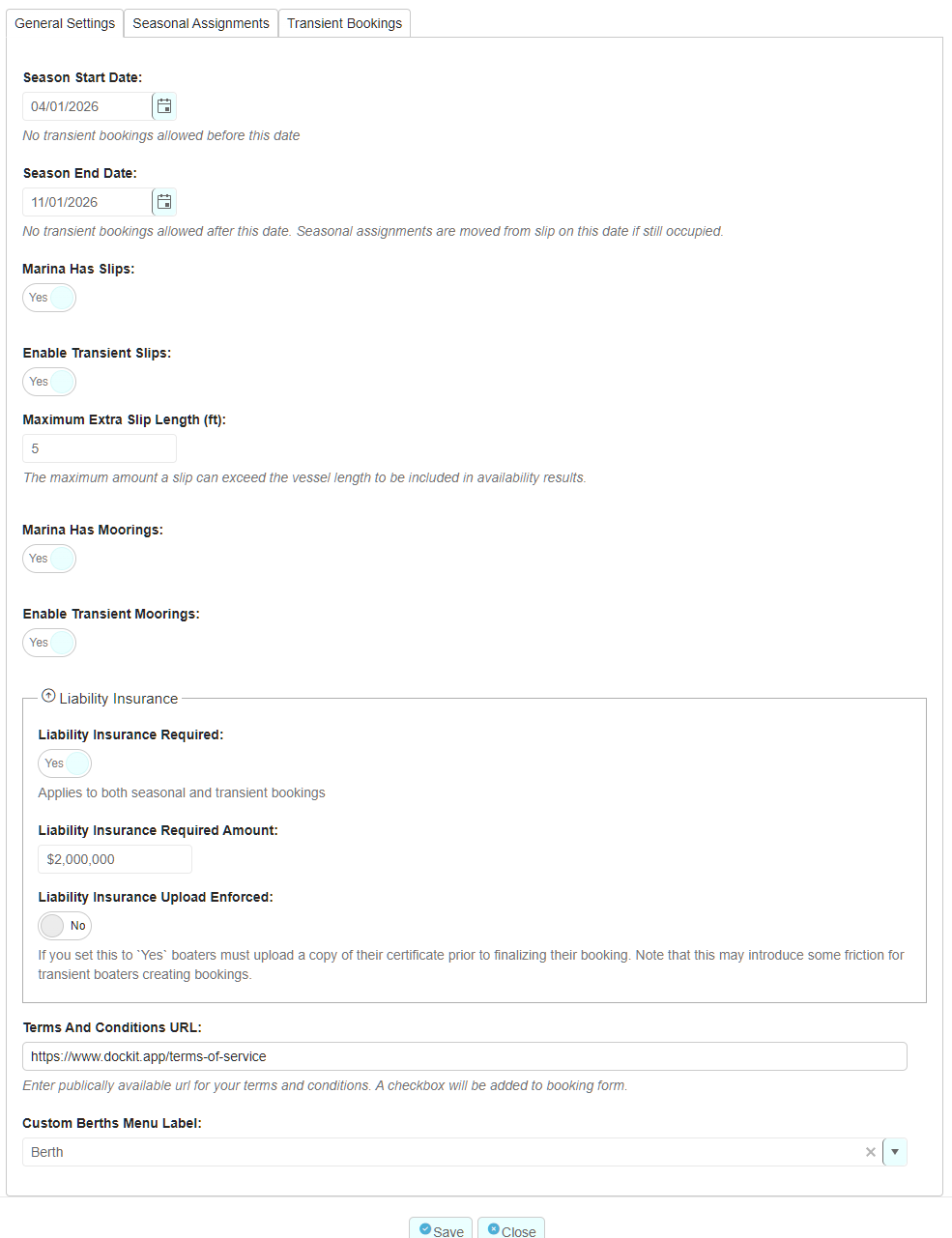
The general settings tab is fairly self-explanatory but here are a few comments:
Season start and end dates determine when transient bookings and slip/mooring assignments can be active. For year-round marinas set the end date to 1 year later than the start date, it will roll over each year automatically.
Marina Has Slips - If your marina does not support seasonal or transient bookings, set this to no. All related functionality will be hidden within Dockit.
Enable Transient Slips - Set to yes to allow available slips to take transient bookings
Custom Berths Menu Label - You can define what you refer to slips in the left menu. i.e. Slips, Moorings or Berths (if you have slips and moorings)
Seasonal Assignments
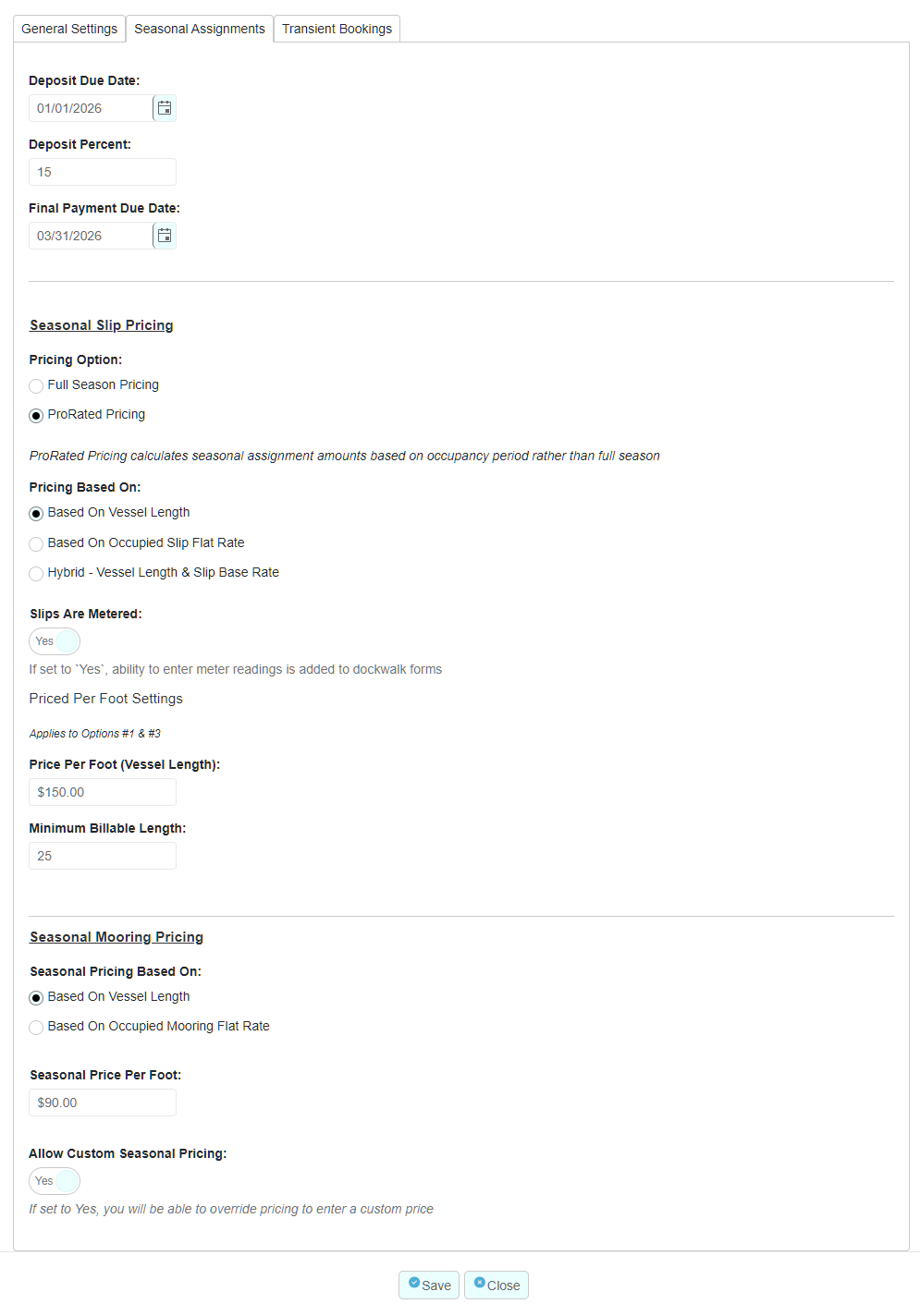
You can set the deposit and final payment due date which will create charges due on those dates for the slip assignment. If you invoice separately for assignment deposits, you can set the percentage to be billed and the system will handle it all for you.
The pricing option field determines whether the assignment pricing is set for the full season independent of the duration of the occupancy. If you select prorated pricing, the charge amount will be based on the percentage of the season that the slip is occupied rather than the full season amount.
Pricing can be based on the length of the vessel or a flat rate that is associated with the booked slip. Alternately, you can select Hybrid which is a combination of the two. During your onboarding process, we will discuss your options with you so that you have a full understanding of how to best handle your pricing requirements.
In addition to the system options, Dockit is also able to provide custom pricing options for your marina. We just require a complete understanding of your unique pricing requirements and we will likely be able to accommodate them.
Transient Bookings
Links:
Each marina is provided with a dedicated URL for providing to transient boaters for self-service booking. (https://link.dockit.ca/{name of marina}. You can add this link to your website, social media, signage etc... You can also download a QR code with this URL embedded where boaters can easily access the booking form.
The customer portal access URL is the URL of an access page where past, present and future transient boaters can access their customer portal. The portal allows them to view/modify their bookings, provide feedback, view upcoming marina events and more.
In addition to freeform entry of URL links on your website, we provide an easy to use embed widget that you can paste right onto the page. You can modify the colour of the widget by entering in the colour code, this allows you to match the widget colour to other components on your web page.
Pricing:
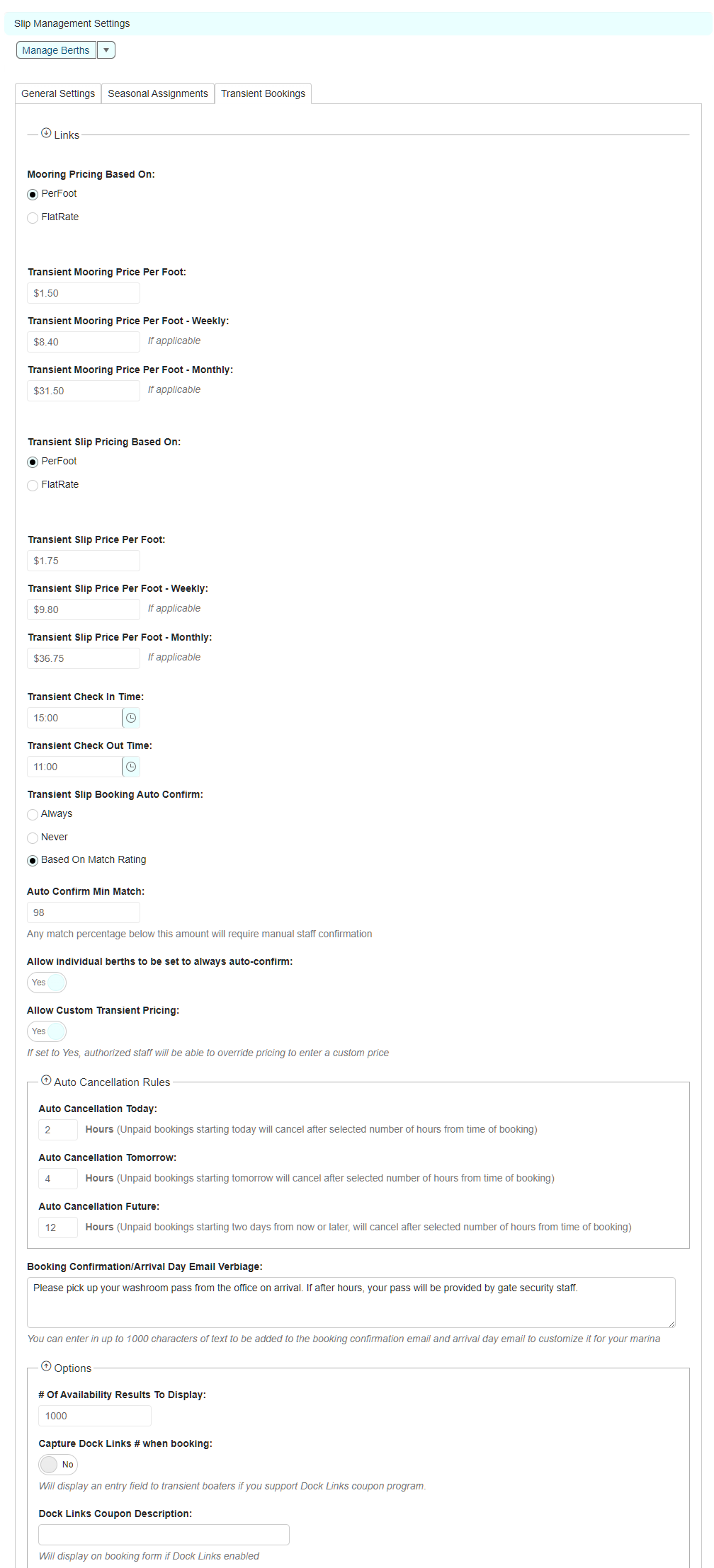
You have the option to price your transient bookings based on the length of the vessel or a flat rate per selected slip. You are able to select daily, weekly and monthly prices for both option choices. In addition, we can accommodate custom transient pricing options such as custom prices for different scenarios such as power consumption, holiday week-ends etc... Please discuss this with our staff during your onboarding process. In addition, you can select the option to enable authorized staff to enter custom transient pricing in order to meet your unique requirements including the ability to create no-charge bookings.
Check-in, check-out times:
You can define desired check-in and check-out times. These times are communicated to the transient boaters. They also control visibility of bookings in the visual map in order to reflect occupancy in real time.
Auto-Confirmation:
You are provided with the option to require staff confirmation of all transient bookings if desired. Transient bookings pending confirmation will place a temporary hold on a slip allowing staff time, to review and confirm each booking. When an unconfirmed booking is received, an email notification is sent to selected staff who can confirm the booking right from the email. You can bypass this option by selecting bookings to always be automatically confirmed if desired. Additionally, you can set a minimum match rating for auto-confirmation. Each booking is provided with a match rating using an algorithm which specifies how closely a vessels requirements/dimensions matches the size and power supply of the selected slip.
Auto-Cancellation:
If a booking is created that is pending payment, such as in the case of transient boater initiated bookings, you can define how long the booking can remain at the pending payment status before being cancelled. You can set different values for bookings arriving today, tomorrow or a later date.
Emails:
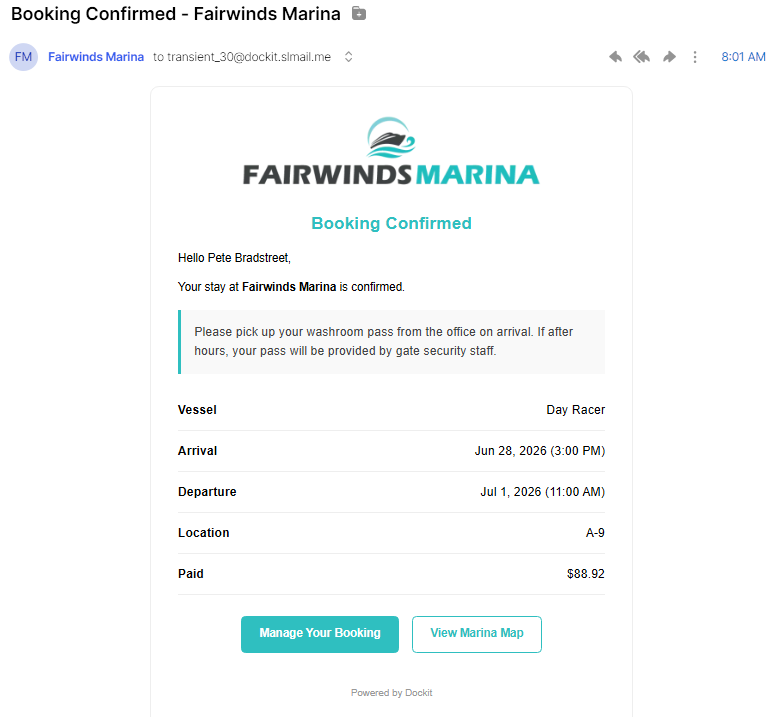
Booking confirmation emails and day-of-arrival emails are automatically sent to transient boaters with their full booking details and link to a visual map highlighting their selected slip. It also provides a link to their customer portal where they can manage their booking and more. You are able to enter custom verbiage that is included in each email.