

Many marinas require that their seasonal and transient boaters provide proof of liability insurance before their booking is confirmed.
Dockit provides robust enforcement if this option is enabled. Before you enable this option, you will need to upload a pdf of your booking terms and conditions.
To upload your agreement version, go to Admin=>Slip Management Settings=>Admin dropdown menu=>Manage Slip Booking Agreements=>Add Agreement Version.
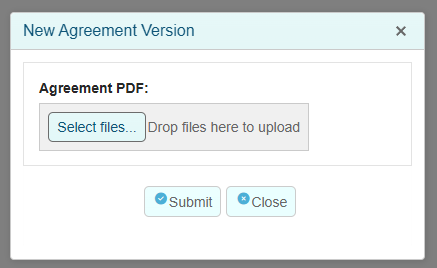
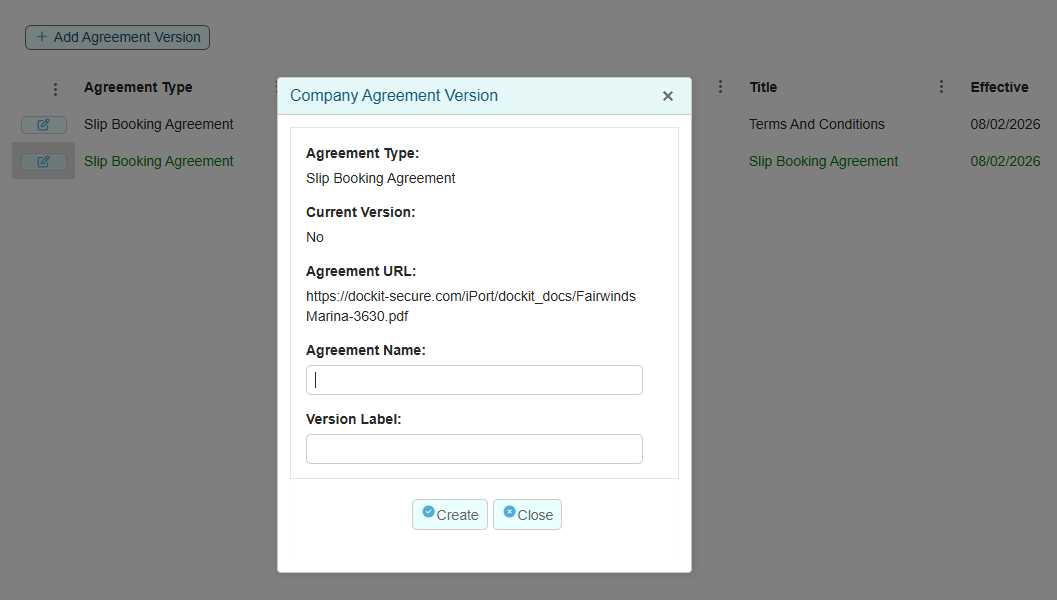
If your agreement is modified at a later date, you can upload the new version to be displayed to the boater.
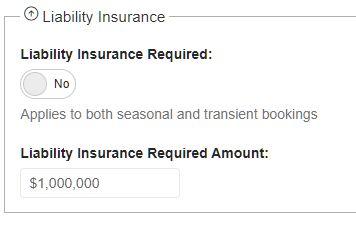
Once you have an active agreement record, you can enable and enforce the liability insurance requirement, go to Admin=>Slip Management Settings=>General Settings Tab:
Once enforced, for transient bookings the transient boater will be required to acknowledge and sign their acceptance in the slip availability map before being able to proceed with the booking and make payment.
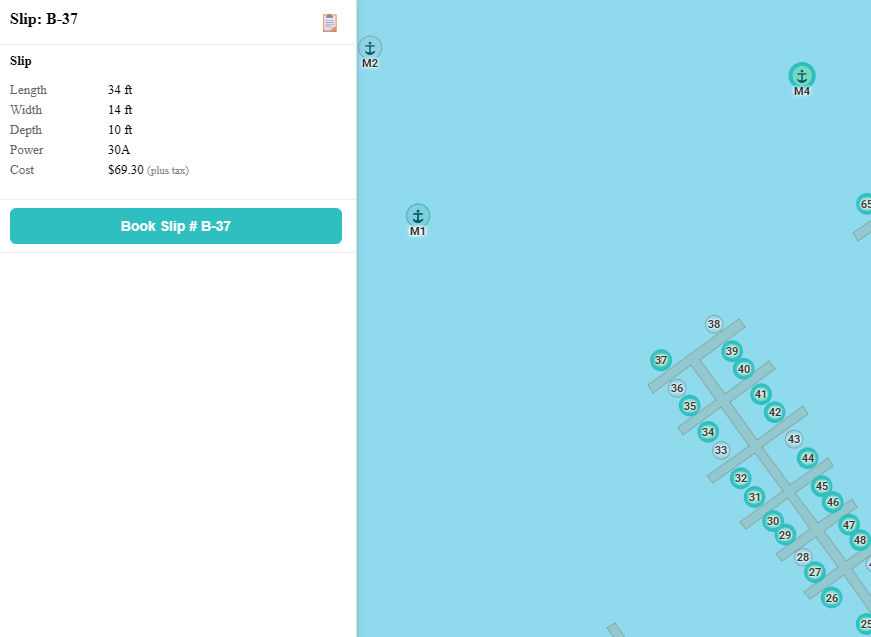
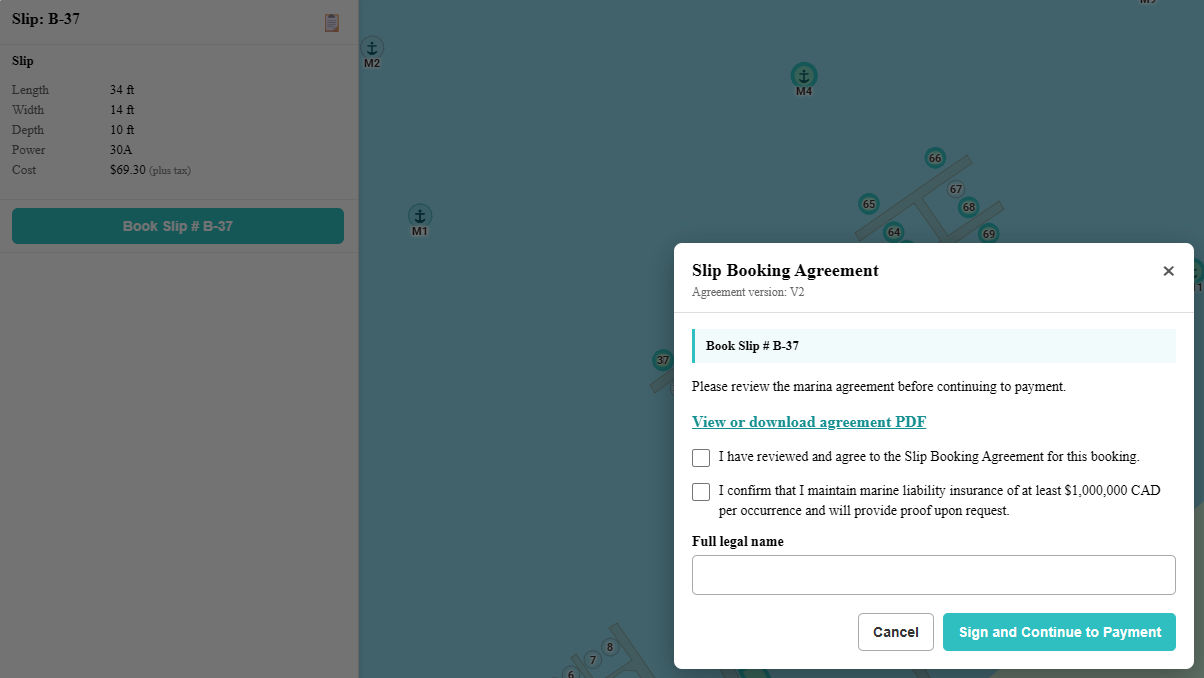
The boater can click on the agreement link to view the agreement in a new browser tab. Both checkboxes and the signature field where they type in their name are required to be completed before proceeding to the payment gateway.
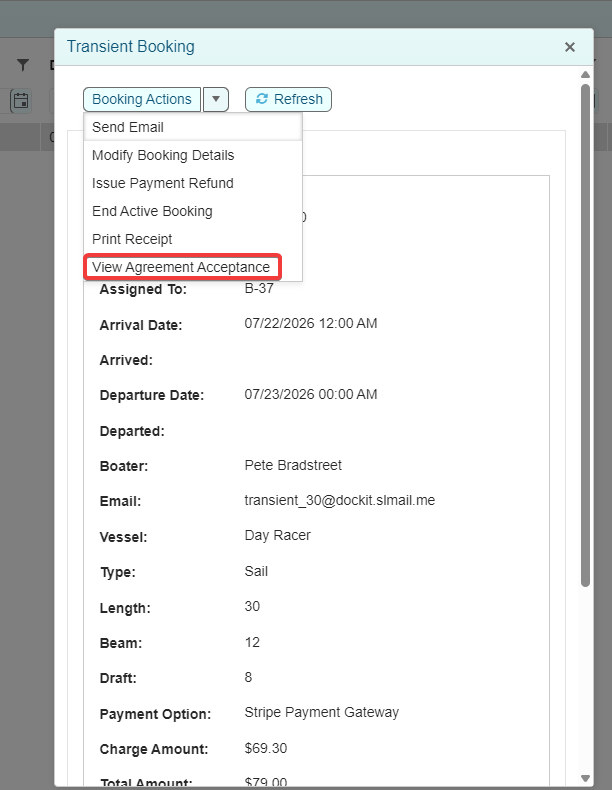
Once the booking has been created, a record of the acceptance is created and linked to the booking. If you ever need to prove acceptance of the agreement, there is a menu item that displays the acceptance record.
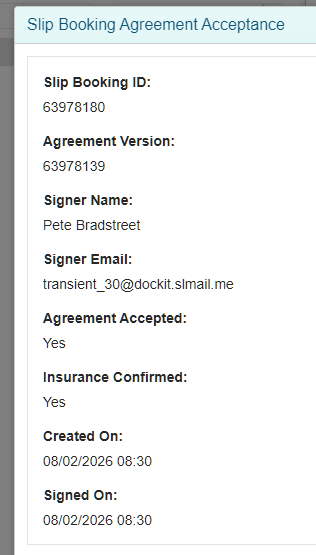
If the booking is created by a staff member there are two scenarios. If the payment method is Stripe Payment Gateway then when the payment request is emailed to the boater and they click on the button to pay, they will be presented with the acknowledgement form which they must sign before proceeding to payment. If the payment method is POS or Other, the staff member must acknowledge that the boater has agreed to the terms and conditions and has sufficient liability insurance. In either scenario, the log entry will be created. The agreement acceptance log can be accessed via Admin->Slip Management Settings->Admin->View Agreement Signature Records.